
The Transcription App Mac Users Deserve.
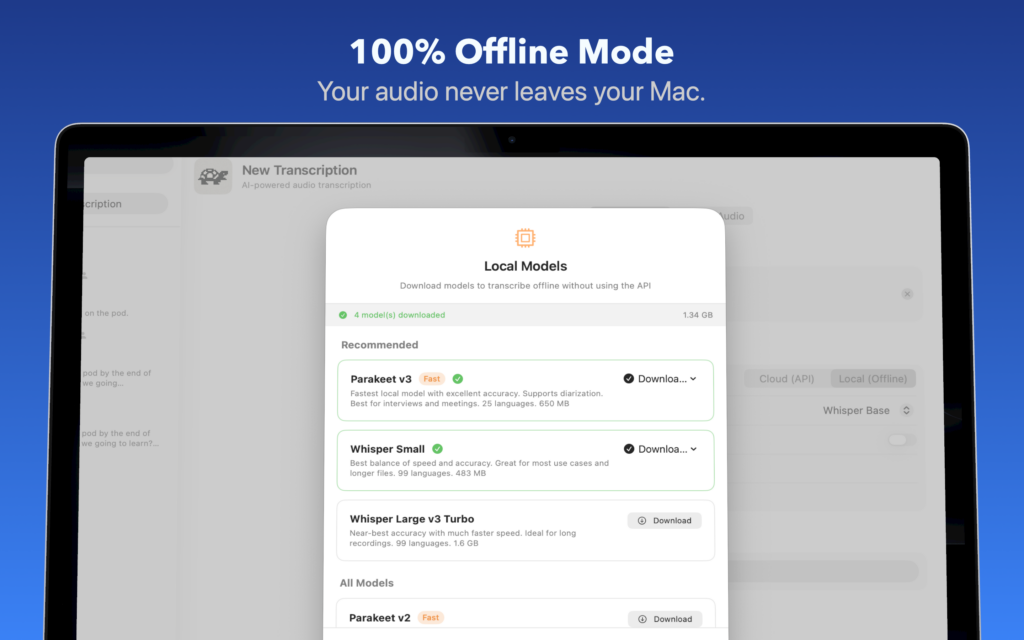
Transcribe videos, podcasts, meetings, and voice memos with AI. Works 100% offline with local models — your audio never leaves your Mac.
Accurate Transcriptions on Your Mac.
Local or Cloud AI
Your recordings. Your Mac. Unlike cloud-only transcription tools, Whisper Snapper lets you process sensitive audio entirely on your device. Download industry-leading AI models once, then transcribe forever — no internet required.
Everything you need to transcribe smarter
Features
From quick voice memos to hour-long interviews, Whisper Snapper handles it all with accuracy and speed.
Powered By
Industry-leading AI engines

Whisper (Local & Cloud)
Whisper Tiny
Whisper Base
Whisper Small
Whisper Large v3
Whisper Large v3 Turbo
Whisper Distil Large v3
GPT-4o Diarize

Parakeet (Local)
Parakeet v2 (English)
Parakeet v3 (Multilingual)

Nova (Cloud)
Deepgram Nova-2
The App.
Loved by creators and professionals
Three steps to text
How It Works
No complicated setup. No account required. Just drag, drop, and transcribe.
1. Drop Your File
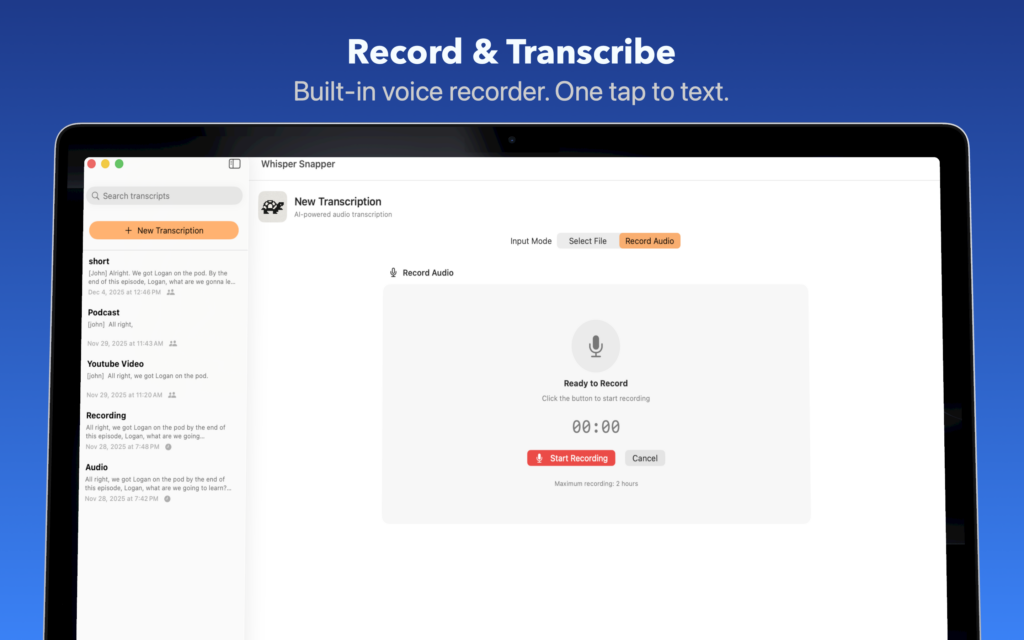
Drag any video or audio file into Whisper Snapper. Or hit record to capture audio directly in the app.
2. Choose Your AI
Pick cloud (OpenAI, Deepgram) for speed or local models (Parakeet, WhisperKit) for privacy. You’re in control.
3. Get Transcript
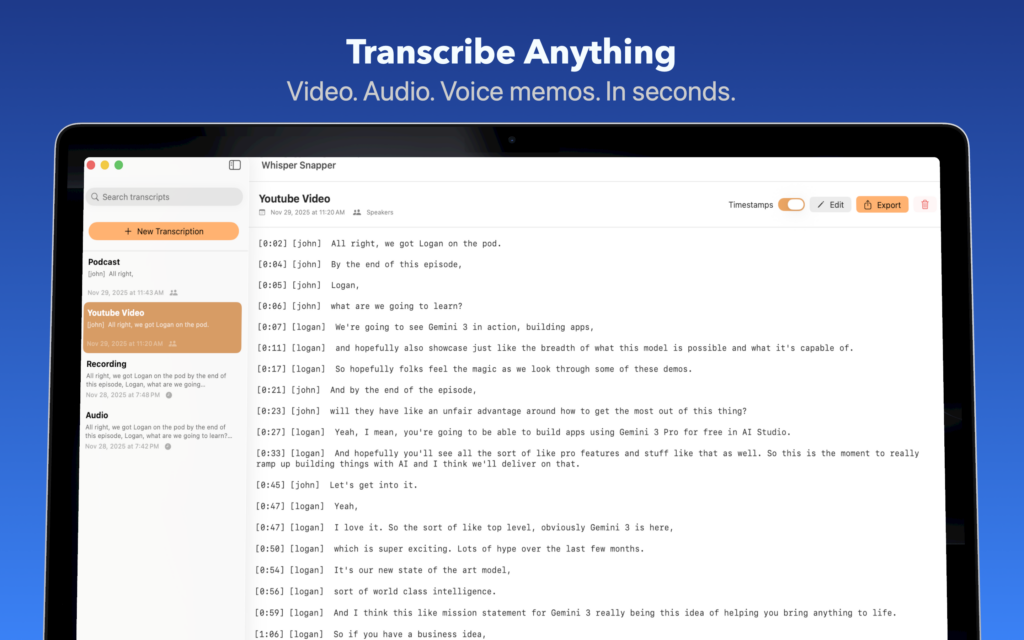
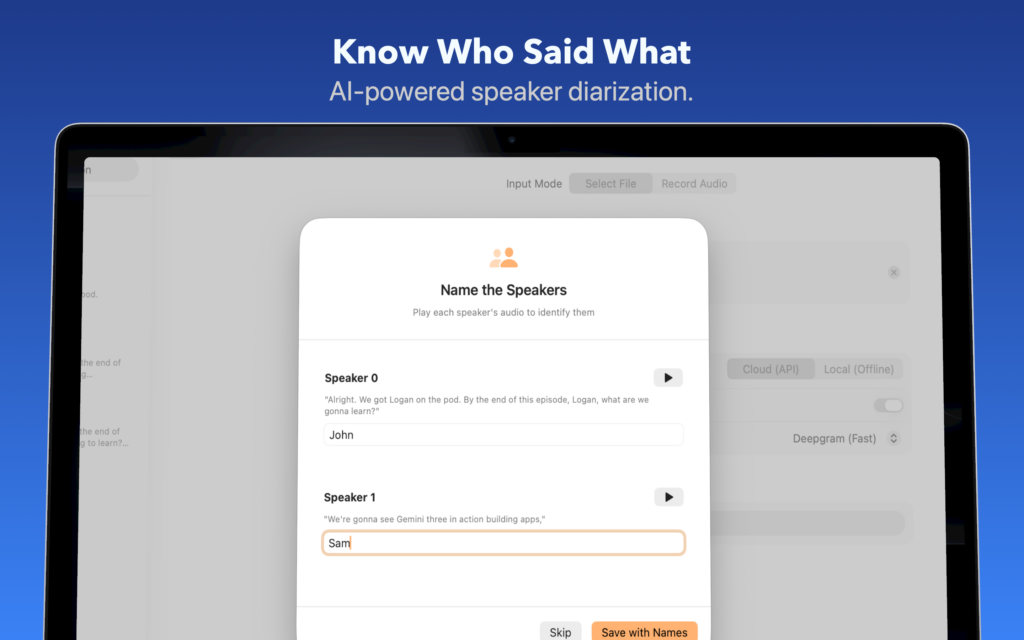
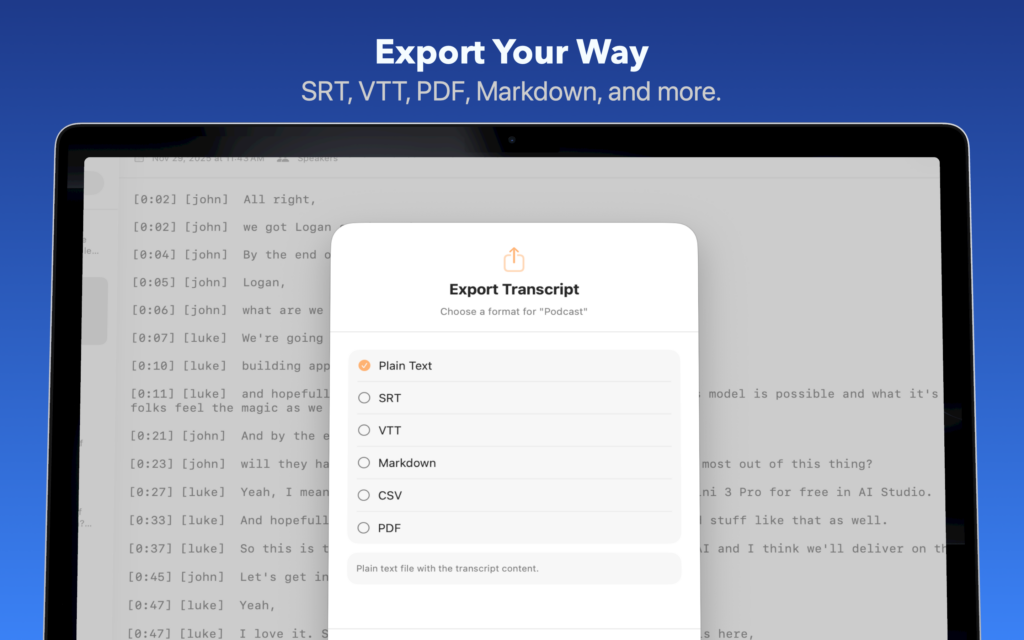
Watch your transcript appear with timestamps and speaker labels. Edit, search, and export in your preferred format.
1. Drop Your File
Drag any video or audio file into Whisper Snapper. Or hit record to capture audio directly in the app.
2. Choose Your AI
Pick cloud (OpenAI, Deepgram) for speed or local models (Parakeet, WhisperKit) for privacy. You’re in control.
3. Get Transcript
Watch your transcript appear with timestamps and speaker labels. Edit, search, and export in your preferred format.
Let’s Chat
Contact
© 2025 Whisper Snapper